Elevate Your Presentations with Froresa Keynote Template
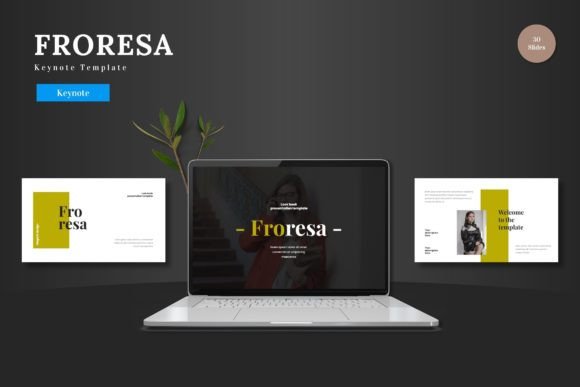
In a world where attention is scarce and impact is everything, your presentation slides are more than just background visuals; they are your story's stage, your data's canvas, and your brand's first impression. The Froresa - Keynote Template is designed to be that versatile, reliable foundation. It isn't just a collection of slides; it's a fully editable framework built within Keynote itself, empowering you to create clean, scalable, and colorful presentations for any purpose without ever needing another software.
A Template Designed for Creative Autonomy
The core appeal of Froresa lies in its integrated design philosophy. Every element—from the handcrafted infographics to the pixel-perfect illustrations—is editable directly within Keynote Slides. This means you can modify shapes, input your content, replace images via placeholder drag-and-drop, and change color schemes entirely inside the app you're already using. This seamless control transforms the template from a static preset into a dynamic creative tool. With 150 total slides spread across 5 premade color variations, you have a substantial starting palette, yet the ability to make every detail your own ensures the final output is uniquely yours.
Unlocking Diverse Applications
The multipurpose nature of Froresa makes it suitable for a wide spectrum of projects. Let's explore how different professionals can adapt this template to meet specific goals.
For the entrepreneur or startup team, the animated slides and clean portfolio sections are ideal for crafting a compelling pitch deck. You can present market data clearly using the resizable infographics, showcase product features with the gallery slides, and maintain a consistent, professional look that builds investor confidence.
Marketing professionals and brand managers can leverage the template for e-commerce promotions or internal business reviews. The five color schemes allow for easy adaptation to different campaign themes or brand guidelines. Picture placeholders make swapping in new product photography effortless, enabling quick turnaround for seasonal launches or sales presentations.
Educators, trainers, and bloggers will find the structured sections and clear visuals invaluable for creating instructional content or inspiring workshop materials. The template’s organization aids in breaking down complex information into digestible segments, keeping audiences engaged from start to finish.
Even freelancers and hobbyists presenting personal projects can use Froresa to elevate their work. The balance of scalability and design ensures that whether you're sharing a creative portfolio or planning a community event, your slides communicate quality and thoughtfulness.
Practical Inspiration for Your Projects
Moving beyond the template's features, consider the creative possibilities it unlocks. Think of the master slides as your consistent design language. Use this consistency not as a limitation, but as a rhythm that frames your unique content. For a business presentation, you might employ one of the cooler color schemes for financial data, then switch to a warmer, more vibrant palette for the team introduction or vision statement, all within the same file.
The included animated slide offers a moment of dynamic emphasis. Use it strategically—perhaps to reveal a key milestone, introduce a new product concept, or transition into your call to action. This animation isn't just a flashy effect; it's a tool for pacing and audience re-engagement.
When customizing, focus on aligning your visual choices with your audience's expectations. A pitch deck for a tech investor might prioritize sleek, minimalist layouts and data-driven infographics. A presentation for a creative agency client could maximize the portfolio slides and bold color variations. The template provides the components; your understanding of the audience dictates their assembly.
Maintaining Clarity and Originality
With such a rich set of elements, the challenge often becomes maintaining clarity. Here are some grounded recommendations:
- Start with Structure: Use the template's section break slides to define clear chapters in your narrative. This logical flow helps your audience follow your argument or story.
- Edit with Purpose: When replacing images or changing colors, ask if the change enhances understanding or emotional tone. Consistency within sections usually strengthens professional perception.
- Let Content Lead: The placeholder system is designed for you to "drag and drop." Don't force content to fit a specific slide; choose the slide layout that best serves the message you need to convey at that moment.
- Simplify When Needed: The template offers complexity, but you can always keep it simple. A single powerful image on a clean slide with a concise headline can often be more impactful than every graphic element in use.
Remember, originality comes from your content, your narrative sequence, and your strategic design choices within the editable framework. Froresa provides the quality tools and foundation; you provide the unique voice and vision.
From Setup to Presentation: A Streamlined Process
The practical workflow with Froresa is straightforward. After opening the main Keynote file, you'll find the five color scheme widescreen files and a helpful "Readme First" document containing font and photo information. Begin by selecting a base color scheme that aligns with your project's mood or brand. Then, navigate through the 30 slides per template, deleting, rearranging, or duplicating as needed.
Input your text directly into the text boxes. Use the strong and em tags not just for styling, but for emphasis on key takeaways. Replace images by dragging your own files into the picture placeholders—this maintains the slide's compositional balance automatically. If you need to alter an infographic, select the element and adjust its size or color using Keynote's native tools, knowing it's built to be resizable without loss of quality.
Finally, practice your presentation with the animated elements to ensure smooth timing. When you're ready, you present your slides to the world directly from Keynote, with full confidence that the design supports your message coherently from the first slide to the last.
The Froresa - Keynote Template ultimately serves as a bridge between professional design and personal expression. It respects your time by eliminating extra software hurdles, respects your content by offering a clear, organized canvas, and respects your audience by ensuring a visually coherent experience. Whether for business, education, promotion, or personal storytelling, it provides a robust starting point from which your specific ideas can genuinely shine.