Munisi: A Multipurpose Template for Creative Presentations
In the world of digital communication, a presentation is often the first point of contact between your idea and your audience. Whether you are pitching to investors, educating a class, or promoting a new product, the visual framework you choose sets the stage for your message. The Munisi - Google Slide Template offers a robust, editable foundation designed to meet this challenge. It is not merely a set of slides; it is a scalable toolkit for building clear, engaging, and professional narratives directly within Google Slides.
What Makes the Munisi Template a Practical Creative Asset
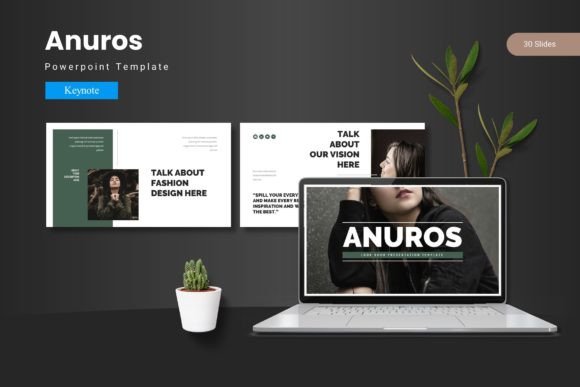
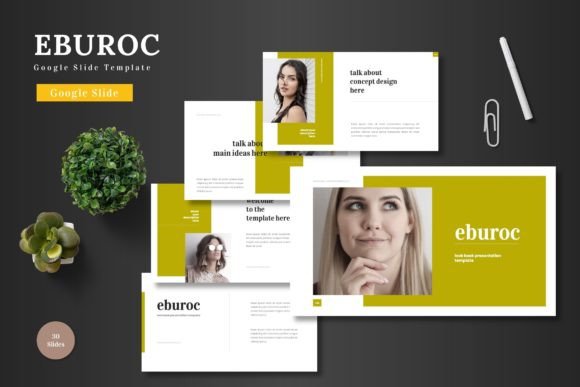
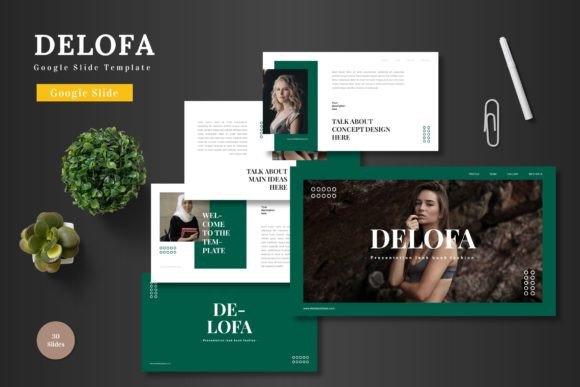
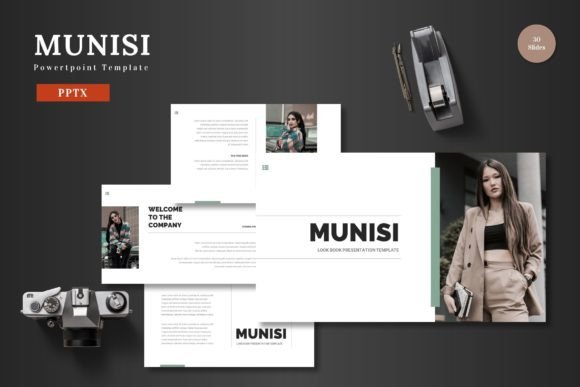
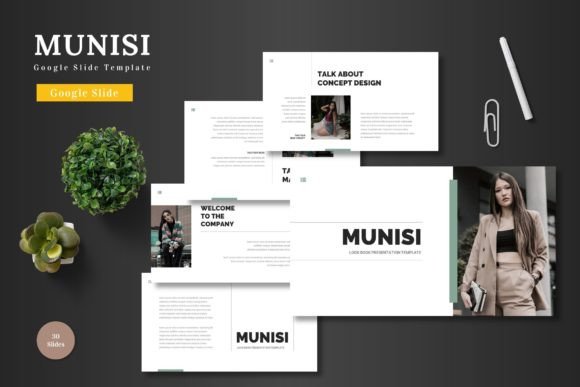
The core appeal of the Munisi template lies in its balance of structure and flexibility. With 150 total slides distributed across five distinct color schemes, it provides extensive material without locking you into a single visual tone. This variety is crucial because a business pitch deck demands a different aura than an e-commerce portfolio or a personal project showcase. Having 30 slides per color variation means you can maintain a cohesive look throughout a lengthy presentation, or easily switch palettes to segment different sections of your content.
More importantly, every element is editable within Google Slides itself. You are not required to learn or purchase additional design software. The template operates on a principle of direct manipulation: you can edit shapes, input your text, replace images into dedicated placeholders, and change colors all within the familiar Google Slides interface. This removes a significant technical barrier, allowing creators, marketers, and educators to focus on their content rather than on software proficiency. The inclusion of animated slides adds a layer of dynamic engagement, helping to emphasize key points during a live presentation.
Unlocking Creative Possibilities Across Different Fields
The multipurpose nature of the Munisi template invites adaptation. Its clean, scalable design and colorful infographics serve as a blank canvas for your specific narrative. Consider how different users might interpret and apply its components.
A freelancer or small business owner could use the portfolio slides to showcase past work. The picture placeholder system makes it simple to drag and drop images of products, projects, or team members. By utilizing the handcrafted infographics—which are resizable and editable—they can visually break down service packages, project timelines, or client demographics without needing to create complex charts from scratch.
For an entrepreneur crafting a pitch deck, the template’s master slide structure ensures consistency. The section break slides provide natural pauses to introduce new chapters of the business plan: the problem, the solution, the market, and the financials. Using one of the five color schemes can subtly reinforce brand identity throughout the presentation. The animated slides can be strategically deployed to reveal a key metric or the core value proposition, creating a memorable moment for potential investors.
Educators and trainers can repurpose the template for instructional content. The clear layout and pixel-perfect illustrations are excellent for explaining processes or concepts. An infographic on a master slide can be duplicated and modified for each lesson module, maintaining a recognizable learning structure for students. The gallery slides can serve as visual case studies or collections of reference materials.
Adapting Munisi for Your Audience and Goals
A successful presentation is always audience-aware. The Munisi template’s inherent versatility supports this need. The first creative decision is selecting the appropriate color scheme. The five premade colors offer a range of moods: some may be vibrant and energetic, suitable for a product launch or creative agency profile; others might be more subdued and professional, ideal for corporate reports or academic presentations. This choice aligns your visual tone with your audience’s expectations.
Next, consider the format and context. Is this a slide deck meant for a live, spoken presentation, or is it a document to be shared digitally and read independently? For live presentations, lean on the animated slides and the visual hierarchy of the infographics to guide the audience’s attention. For digital sharing, ensure text is slightly more explanatory and that the portfolio or gallery slides are self-contained and clearly labeled. The template’s widescreen format ensures it looks modern on most displays and projection screens.
Originality is achieved not by radically altering the template, but by how you fill it. The placeholder system is your gateway to personalization. Use high-quality, relevant images that tell your unique story. Customize the text in the pre-structured boxes with your specific voice—avoid generic filler. Even changing the color of a key shape or icon to match your brand can make the presentation feel bespoke. The goal is to use the template’s organization to enhance your clarity, not to let it dictate your content.
Practical Recommendations for Effective Use
To maintain quality and effectiveness, start with the provided “Readme First” file. It contains essential information on fonts and photo usage, ensuring your edits look intentional and polished. Begin your work on the master slides if you need to make global changes to fonts or backgrounds, as this will propagate throughout your presentation, saving time and guaranteeing consistency.
When inputting your content, follow a logical flow. Use the template’s section breaks as intended: to signify transitions between major ideas. Do not feel obligated to use every single slide; curate the slides that best serve your message. The large number of slides is a resource, not a requirement. For instance, you might combine several infographic slides to build a detailed explanation, or use only a selection of the portfolio layouts to highlight your best work.
Finally, remember that the tool is designed for editing just on Google Slides. This simplicity is a benefit. You can collaborate with team members in real-time, make last-minute adjustments before a meeting, or present directly from the cloud without worrying about file compatibility. The process from editing to presenting is streamlined, letting you concentrate on the communication itself.
A Toolkit for Ideas and Inspiration
The Munisi - Google Slide Template ultimately serves as a catalyst for effective communication. Its value is realized when creators stop seeing it as a finished product and start treating it as a starting point. It provides the structure—the grids, the placeholders, the color palettes—that frees you from basic design worries. This allows you to channel your energy into the substance: the compelling argument for your business, the clear explanation for your students, or the beautiful showcase for your products.
For the blogger seeking to present data compellingly, the marketer needing a scalable template for multiple client campaigns, or the hobbyist putting together a personal project gallery, Munisi offers a common foundation. It empowers users to produce work that looks organized, professional, and visually engaging, all while working within a platform they likely already use. By combining its practical framework with your unique content and creative direction, you can build presentations that not only convey information but also connect with your audience and support your goals, ready to be presented to the world.